
MX Master 4 vs MX Master 3S: should you upgrade in 2026?
The MX Master 4 brings haptic feedback and Actions Ring. The MX Master 3S still has the same precision. Here's the honest answer on whether to upgrade.
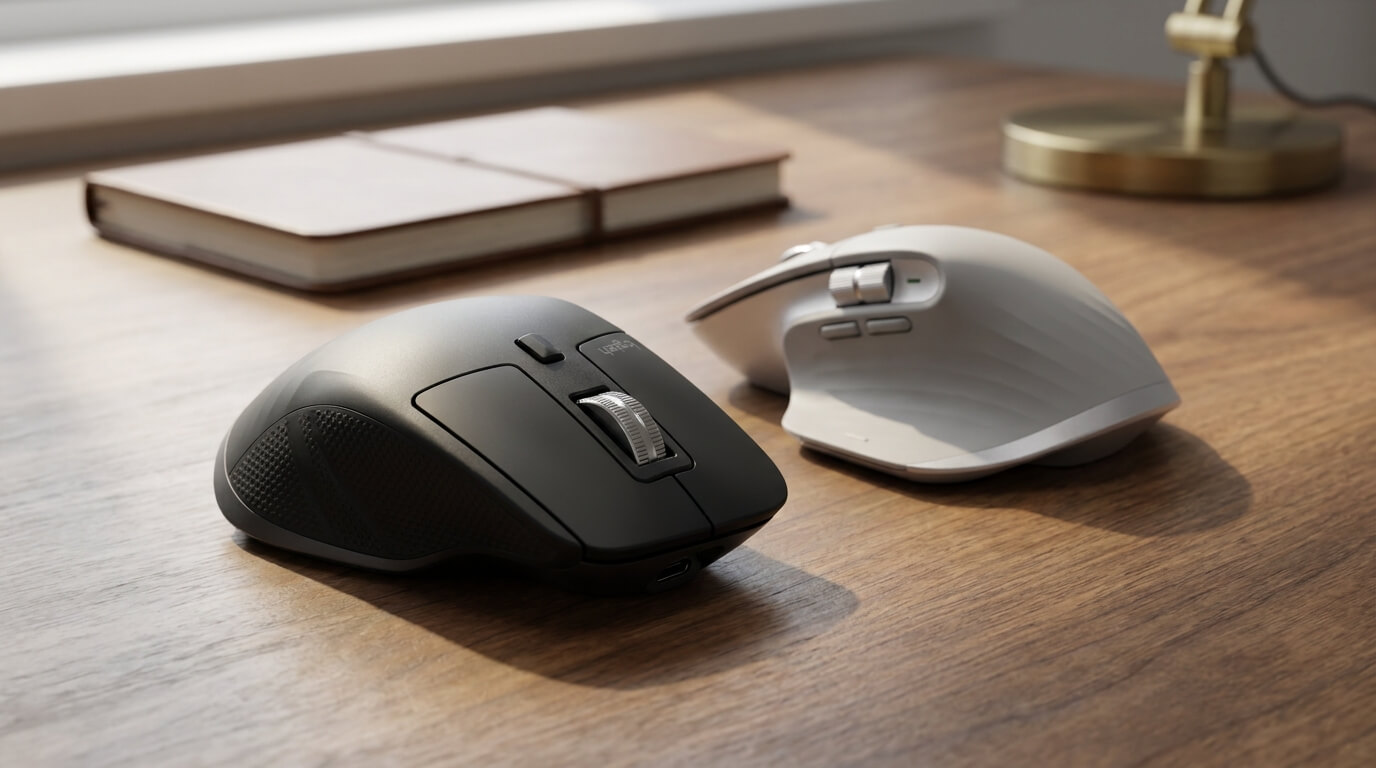

Logitech just released the MX Master 4 — and if you already own the MX Master 3S, you’re probably wondering whether the upgrade is worth it. After two weeks of using both side by side as my daily driver, here’s the honest answer.
The short verdict
If you bought the MX Master 3S in the last 18 months, stay where you are. It is still the most precise productivity mouse on the market and the new 4 doesn’t change the fundamentals. If you’re still on the original MX Master or MX Master 2S, the 4 is the upgrade you’ve been waiting for — haptic feedback alone is enough to justify it.
What’s actually new
The 4 keeps the silhouette, the MagSpeed wheel, the 8K DPI Darkfield sensor, and the 70-day battery life. What it adds is genuinely new:
- Haptic feedback panel — a subtle tactile vibration confirms certain actions: snapping a window to a grid, switching desktops, hitting a scroll-wheel detent. It’s quiet and customisable through Logi Options+.
- Actions Ring — a context-aware shortcut wheel that overlays around your cursor when you press the dedicated button. Replace it with your most-used tools per app.
- Better wireless radio — Logitech says 2× the range over the 3S. In practice it means fewer dropouts when your laptop is across the room.
What stays the same
Everything that made the MX Master 3S the gold standard still applies to the 4. The MagSpeed wheel still flips between ratchet and free-spin instantly. The 8K DPI sensor still tracks flawlessly on glass (4 mm or thicker). The shape is still the most ergonomic right-handed mouse Logitech makes. Battery life remains in the 70-day range on a single USB-C charge.
Who should buy the MX Master 4
- Power users on multiple monitors — the Actions Ring is genuinely productive once you customise it per workflow (a different ring for Figma, for Premiere, for VS Code).
- Designers and editors — haptic feedback for slider adjustments and grid snaps is a real tactile dopamine hit you didn’t know you wanted.
- Owners of the original MX Master or 2S — the cumulative upgrade is huge.
Who should keep the MX Master 3S
- Anyone who bought a 3S in the last 18 months — the precision feel is identical. You won’t notice the difference for daily tasks.
- Budget-conscious buyers — the 3S is still in production in the MX Series range at a meaningful price gap below the 4.
- People who never used the App Switcher button — if you don’t customise mouse buttons, you won’t use the Actions Ring either, and you’re paying for features you won’t touch.
The Pakistan-specific note
Both mice are imported through the official Logitech distribution channel and ship with the manufacturer warranty honoured locally. Buying from us means firmware updates, G HUB compatibility, and warranty claims all work properly in Pakistan. If you’ve seen the 3S being sold elsewhere for 10–15% less than our price, check the warranty terms before buying — the savings disappear the moment the device needs service.
Final pick
If your hand is on a mouse 6+ hours a day and you’ve been on the same mouse for 3+ years, the MX Master 4 pays back the upgrade cost in productivity within a month. If your existing 3S is doing the job, save the money and buy a matching MX Keys keyboard or MX Anywhere travel mouse instead — you’ll feel the upgrade more.
Both are in stock at logitechofficial.pk with free nationwide shipping and the official Logitech warranty.